BackOffice Process
Your Step-by-Step BackOffice Guide
PHASE 1
- Register at nnnClub/CGB via nnnclub.net using the REGISTER button with your sponsor’s CodeID.
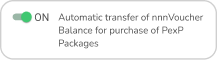
- Set your BackOffice button to ON.
- Complete the €40 (approx. USD 49) GroupBuying Participation payment via the official crypto channels:
Telegram: @PAYnnnBOT
Web: nnnPay.net

PHASE 2
- Keep the button on ON.
- After payment, wait until the value of 280 nnTokens (nnnT) appears in your BackOffice (Section 3)
- Then switch the button in field No. 2 from ON to OFF.
PHASE 3
- Keep the button on OFF.
- Wait until the nnnVoucher value (field No. 1) increases to nnnT 2,000.
PHASE 4
- Keep the button on OFF.
- Once your nnnVoucher (field No. 1) reaches nnnT 2,000, transfer this amount using the “C” link (menu/burger on the left → ☰) to your Sponsor’s CodeID (indicated in blue at the top of your nnnBackOffice).
PHASE 5
- Keep the button on OFF.
- When three (3) or more of your DIRECT Members complete the same process (their Phase 4), you should make a Transfer of 6,000 nnnTokens (nnnT) from your nnnVoucher using the “C” link (menu/burger on the left → ☰) to:
Transfer Details: CodeID: Click HERE
((12) nnnGuestWorkers)
A Member’s action will not be accepted if complete Phase 5 before Phase 4.
Start Your Journey Today
Powered by Smart Algorithms, Not Large Crowds
Join millions of Guest Workers improving their financial future through the nnnClub GroupBuying Coalition and 50 powerful nnnPrograms.
